AlertSignal
Permit and license deadlines with automatic alerts.
On this page: 01Why it exists
Why it exists
Expiration dates for business permits, AVCB (fire safety certificate), and other licenses of the group’s companies were tracked in spreadsheets, but they didn’t always get opened for a check. I developed the tool to notify the people responsible for each license when its expiration date gets close.
Problem, system, and proof
Problem
Deadlines that depended on someone opening the spreadsheet.
System
Tracks permit and license expirations for multiple companies, with daily email alerts starting 90 days before each deadline and higher urgency at 30 and 7 days.
Proof
62 tests
unittest on GitHub Actions. Checked on 9 Nov 2026.
No hosted demo: it runs on your own computer, with fictitious data, following the README.
A closer look
-
Overview
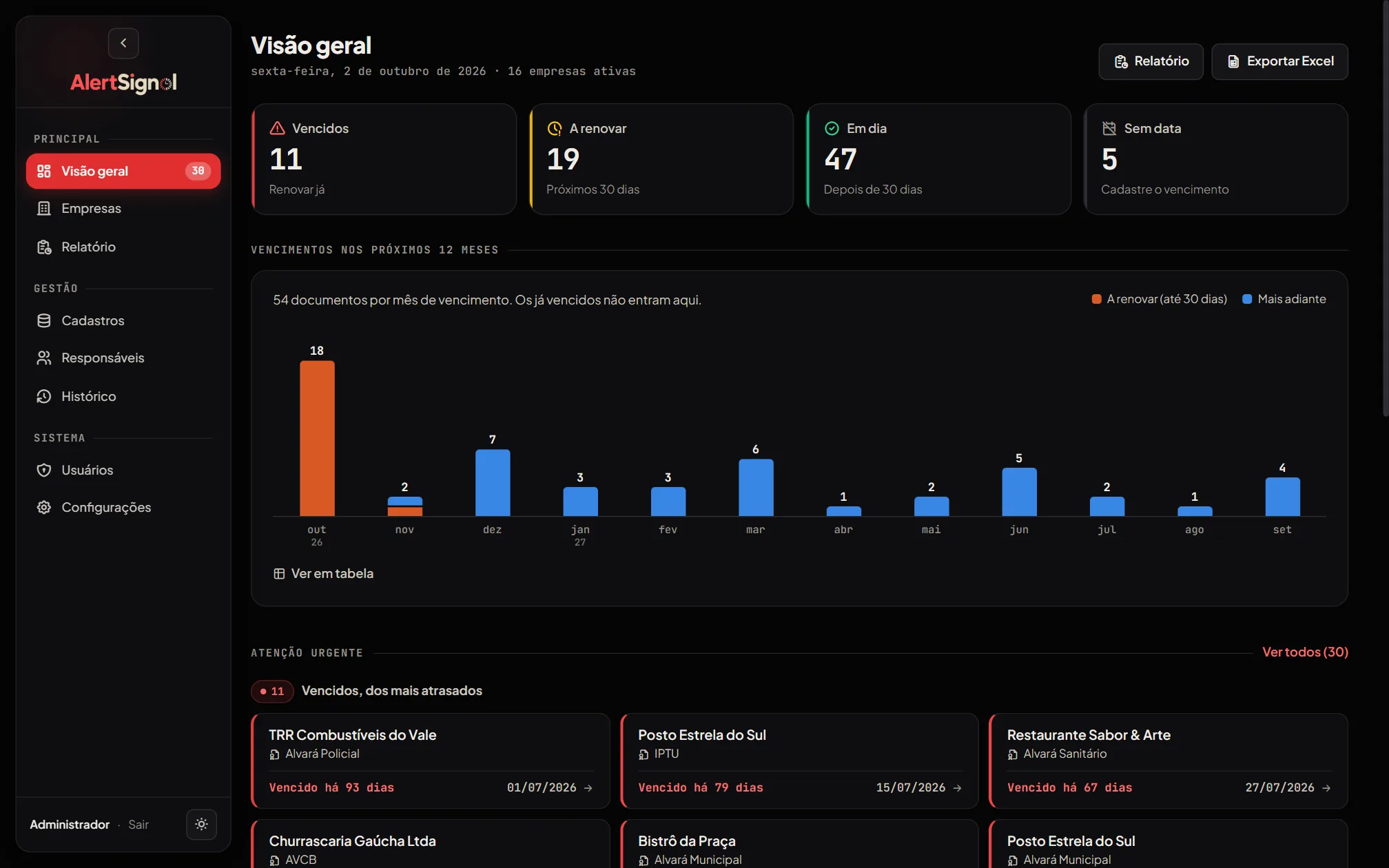
Expired, due for renewal, current, and undated, with a chart of the next 12 months.
-
Daily email alerts
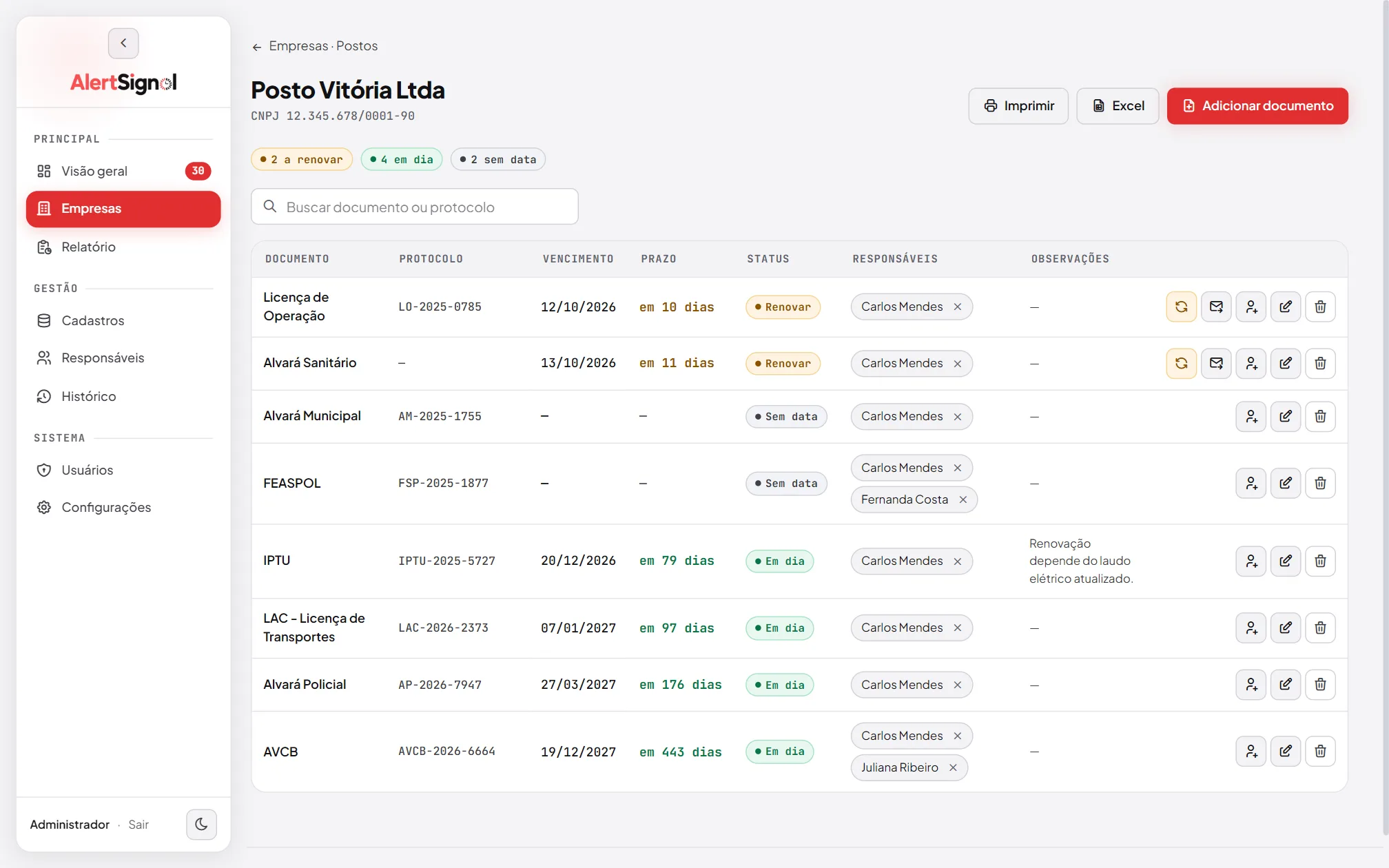
Each company shows its documents by urgency, with expiration date and time left. Alerts start 90 days before, with higher urgency at 30 and 7.
-
Expiration report
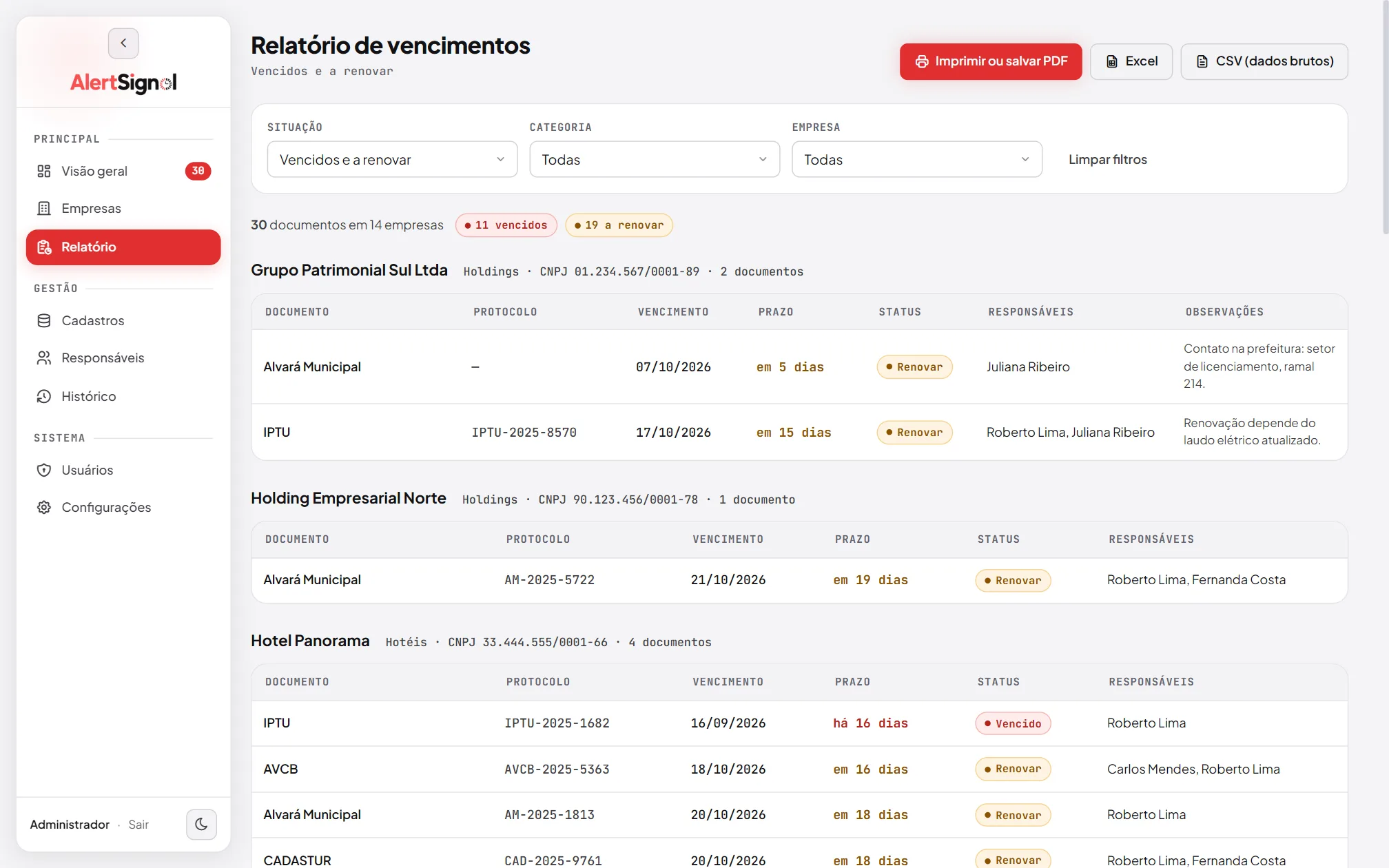
Filters by status and exports to PDF, Excel, and CSV.
-
One card per document
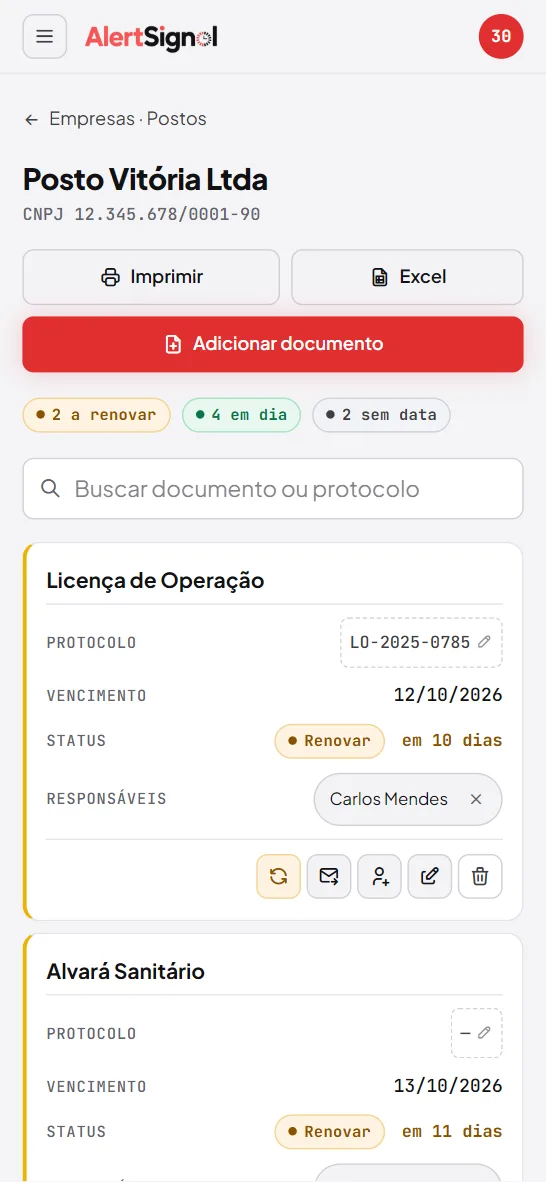
On a phone, each document shows its expiration date, status, and the people responsible, with the action buttons below.
How it was built
Architecture
I split the system into Python modules: app.py with the Flask routes, permissions, and exports; database.py with the SQLite schema and connection; notificacoes.py with the alert rules and sending through Gmail; and importar_planilha.py, which reads the old spreadsheet with pandas a single time. The scheduler runs inside the same process as the server, and the interface uses Jinja2, CSS, and JavaScript with no framework.
View in code: README.md L148–169 importar_planilha.py L95–174 app.py L1354–1402 notificacoes.py L383–413
- Spreadsheet imported once
- SQLite database
- Scheduled daily check
- Email per person responsible
- Alert logged
Technical decisions
SQLite in a single file
I chose SQLite over PostgreSQL because the system runs on a local machine with few writes: it needs no setup, and a backup is just copying one file. The database path lives in a variable in
database.py, and demo mode swaps it for a separatedemo.db, so the fictitious data never touches the real database. Queries are plain, parameterized SQL, with no ORM.View in code: README.md L134–138 database.py L4–19 app.py L1375–1380
Scheduler inside the Flask process
I used APScheduler instead of cron because it runs inside the Flask process, works on Windows, and lets you change the send time from the app itself. The daily check is a job with a fixed id, created at the time saved in the settings. When the administrator saves a new time, the route calls
reschedule_job, and the send time changes without restarting the server.View in code: README.md L136 app.py L1354–1363 app.py L1054–1059
Security without extra packages
I built the security with Flask and the standard library alone. A per-session CSRF token goes into every form and every
fetchthat changes data, and the server compares it withhmac.compare_digest. On every request, the user is reloaded from the database: anyone deleted or deactivated loses the session, and so does anyone whose password was changed, because thesessao_versaocolumn goes up. In exports, text starting with=stays text instead of becoming a formula.View in code: README.md L142–144 app.py L69–91 app.py L163–205 app.py L1316–1319
Challenge
Alert once, without missing any
Each alert milestone had to go out exactly once to each person responsible; after expiration, the reminder becomes daily. I created the alerta_enviado table, whose unique key includes the milestone and the expiration date: running twice in one day repeats nothing, and a renewed document starts over with its new date. If the check skipped a day, only the latest milestone goes out. An alert is logged only after the email is sent; if sending fails, it comes back the next day.
View in code: database.py L80–92 notificacoes.py L89–191 notificacoes.py L383–413
Testing
The app has 62 tests in unittest: 42 for routes, permissions, and security, and 20 for the alert rules, the status, and the scheduler. They run in demo mode on a temporary database, and email sending is replaced by a fake that only counts the calls. The alert rules use a fixed date, so each milestone is checked without depending on the current day. GitHub Actions runs everything on every push, on Python 3.11 and 3.13.
View in code: test_rotas.py L1–40 test_alertas.py L1–60 testes.yml L1–24
Stack and links
Stack
Python, Flask, SQLite, APScheduler, pandas, openpyxl, Jinja2, JavaScript, unittest, GitHub Actions