UnifyData
Calculates payroll deductions for employee purchases.
On this page: 01Why it exists
Why it exists
I built UnifyData to help one of the group’s departments with employees’ internal purchases. They buy the group’s products “on a tab”, with each purchase noted on a paper slip, and the slips are recorded in AutoSystem. Someone had to pull a report from each company and, from it, build the spreadsheet for HR in Excel; HR uses Domínio (payroll software). It was a lot of work, and UnifyData makes it easier.
Problem, system, and proof
Problem
One report per company, combined by hand in Excel for HR.
System
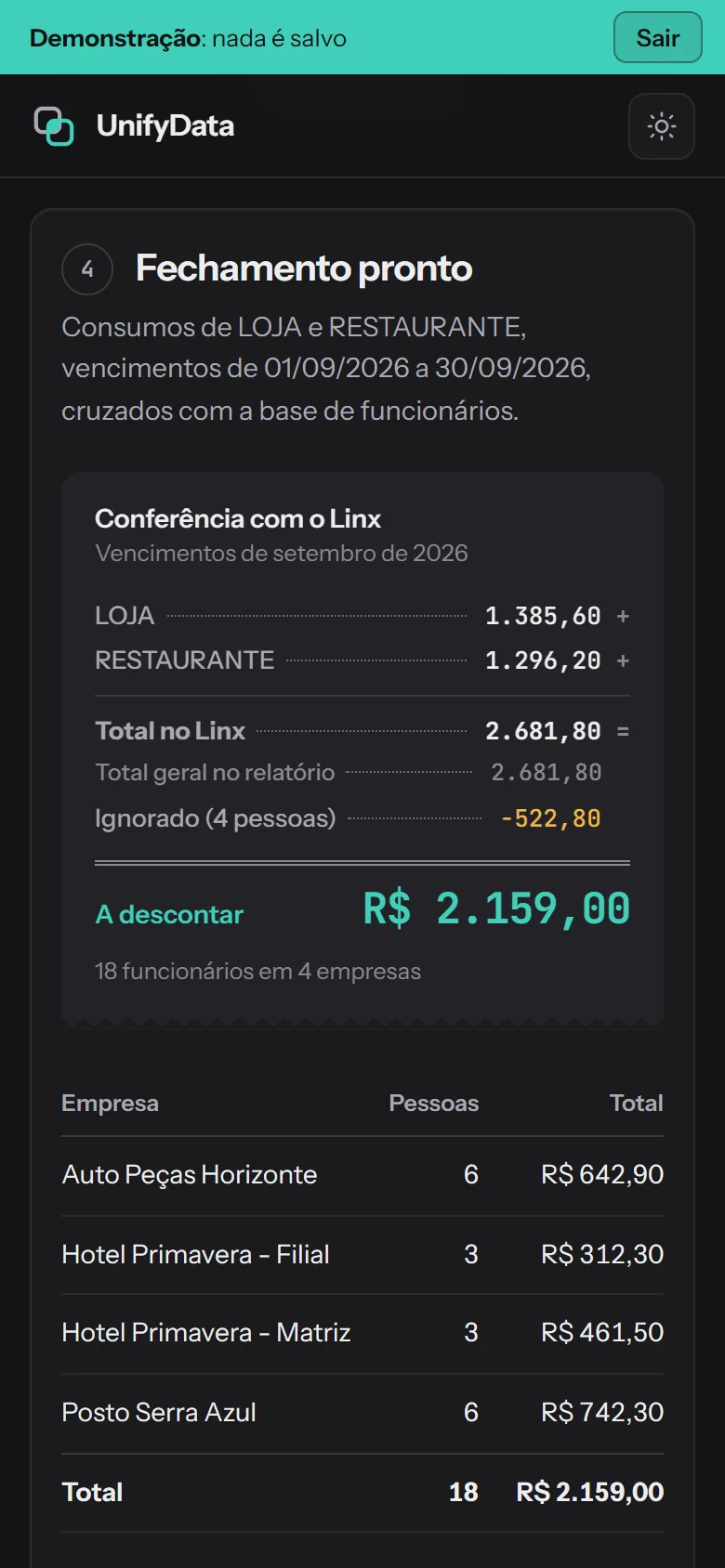
Runs the monthly close of employees’ credit purchases at the group’s stores, recorded in AutoSystem. It matches them against the HR records, flags what doesn’t match, and generates the payroll deduction spreadsheet.
Proof
40 tests
17 in the web version and 23 in the Python version, on GitHub Actions. Checked on 9 Nov 2026.
A closer look
-
AutoSystem and HR side by side
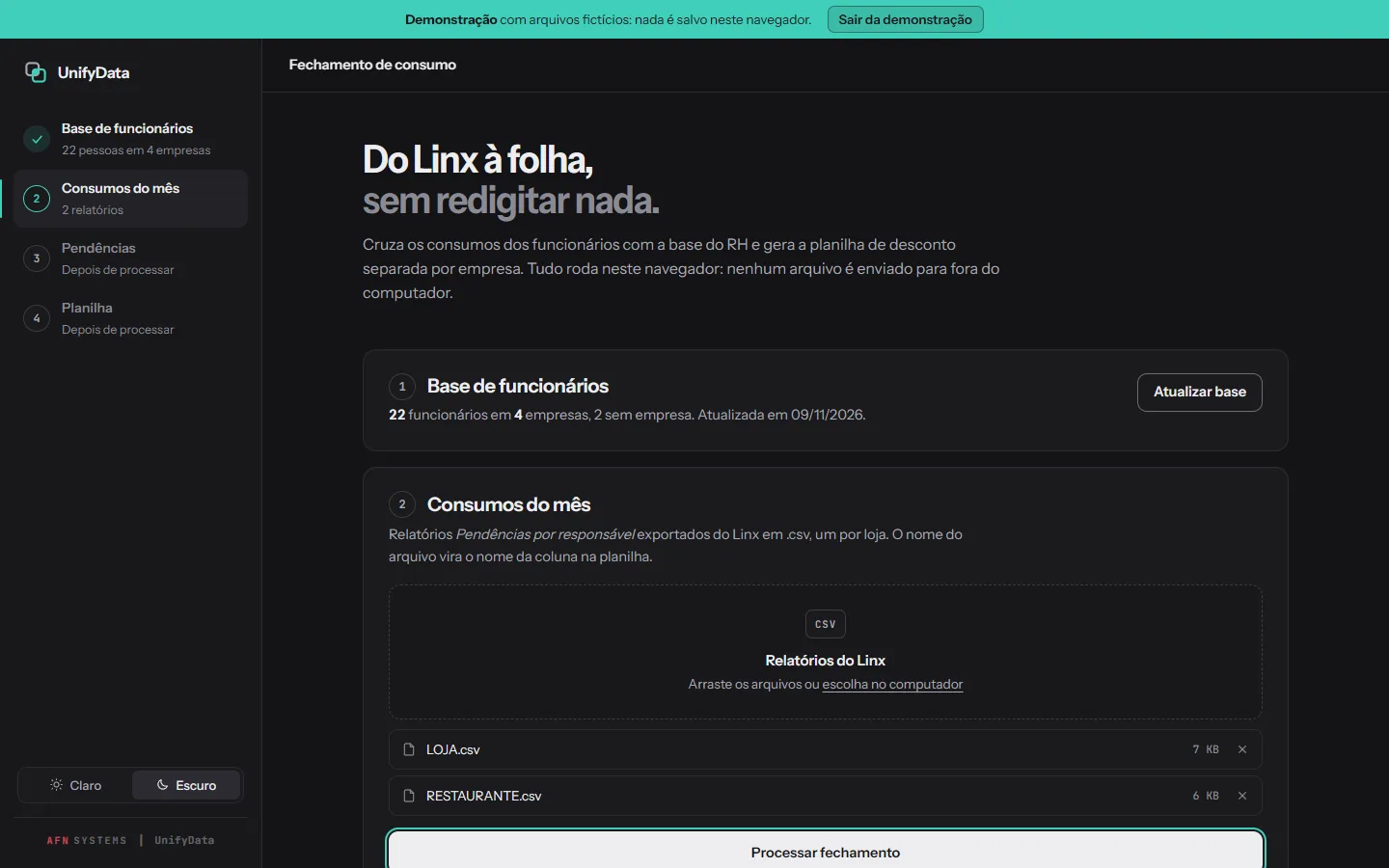
The stores’ credit purchase reports are loaded alongside the HR employee records.
-
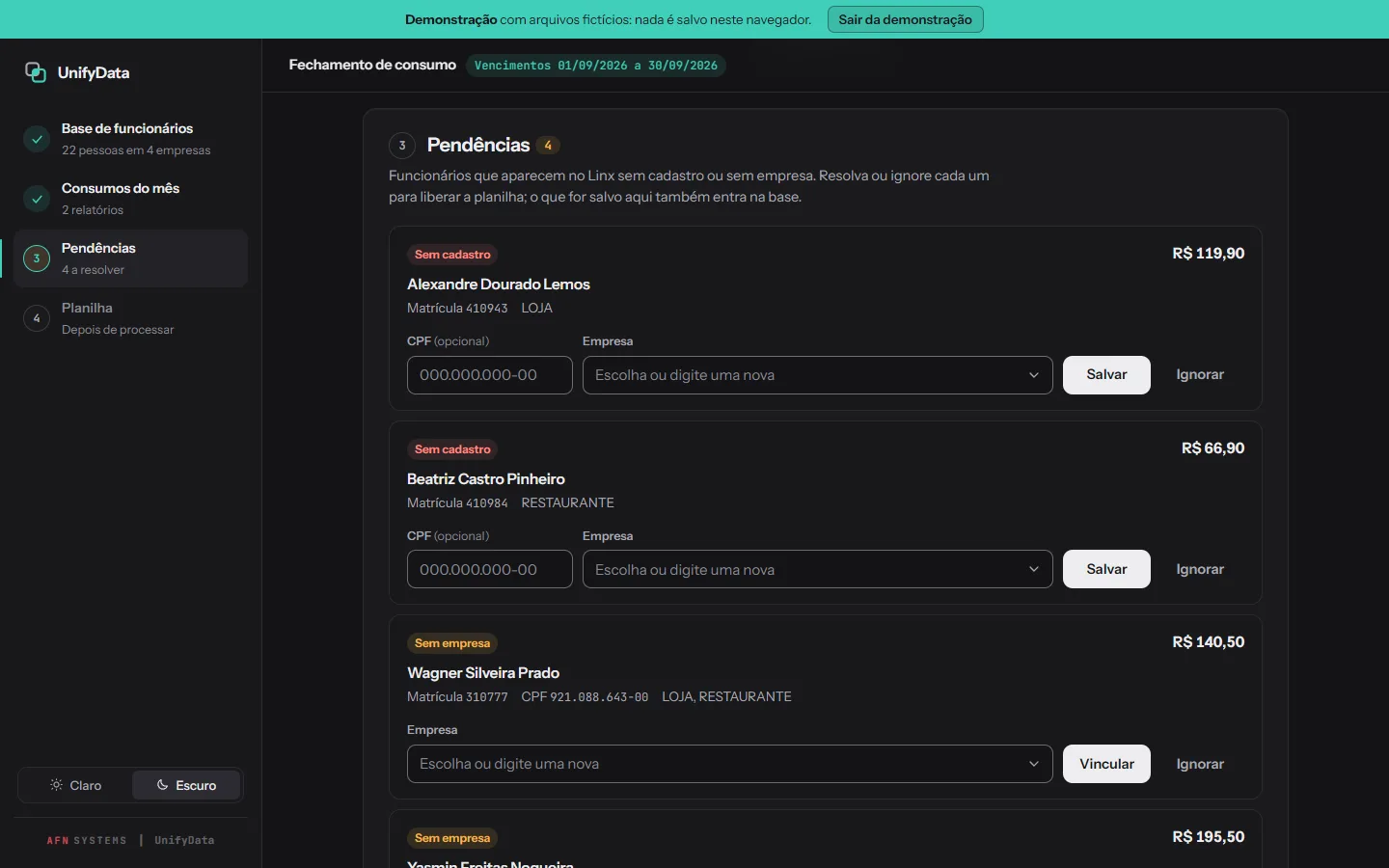
Flags what doesn’t match
A purchase with no HR record or no company becomes an open item, with amount, employee ID, and store.
-
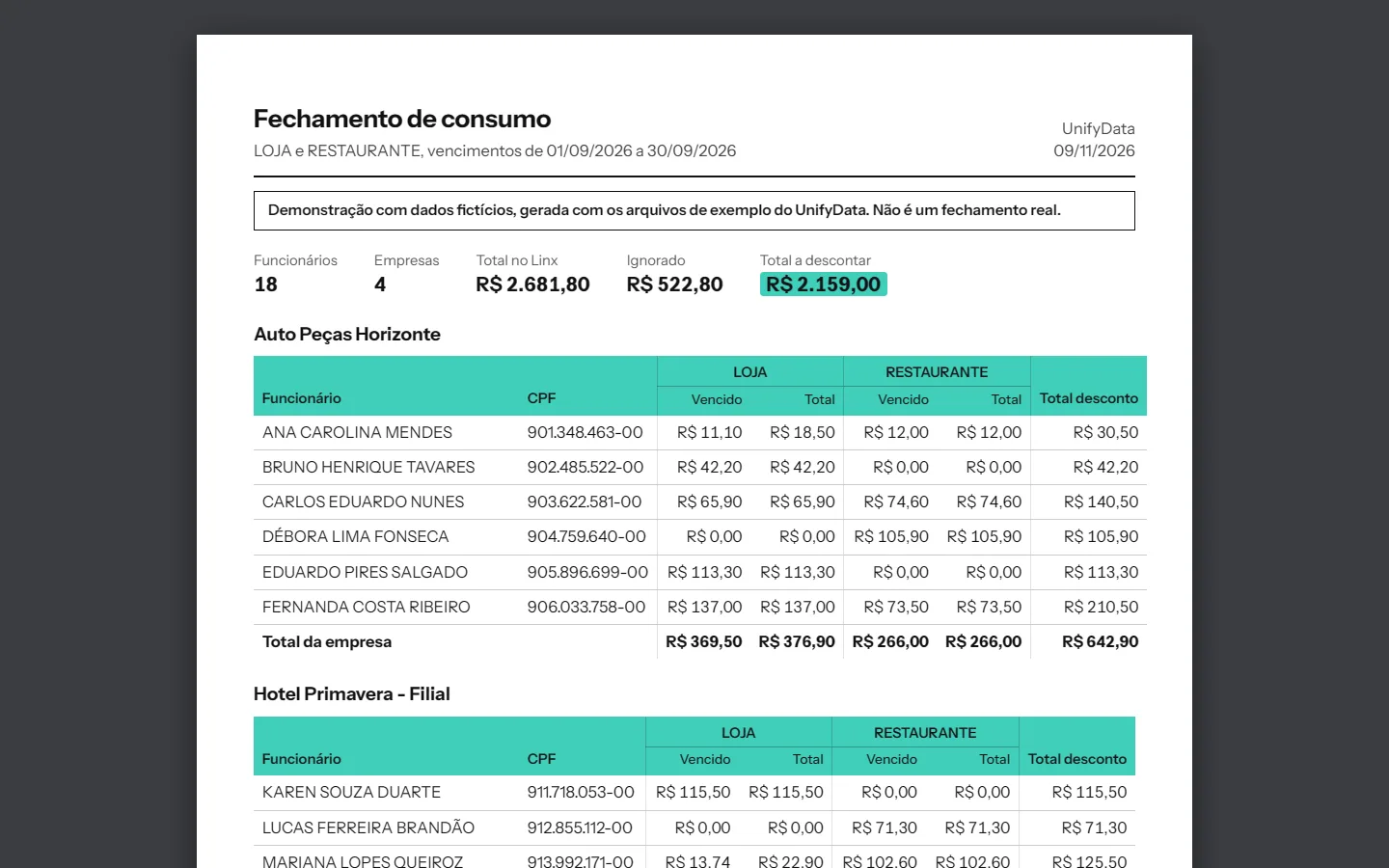
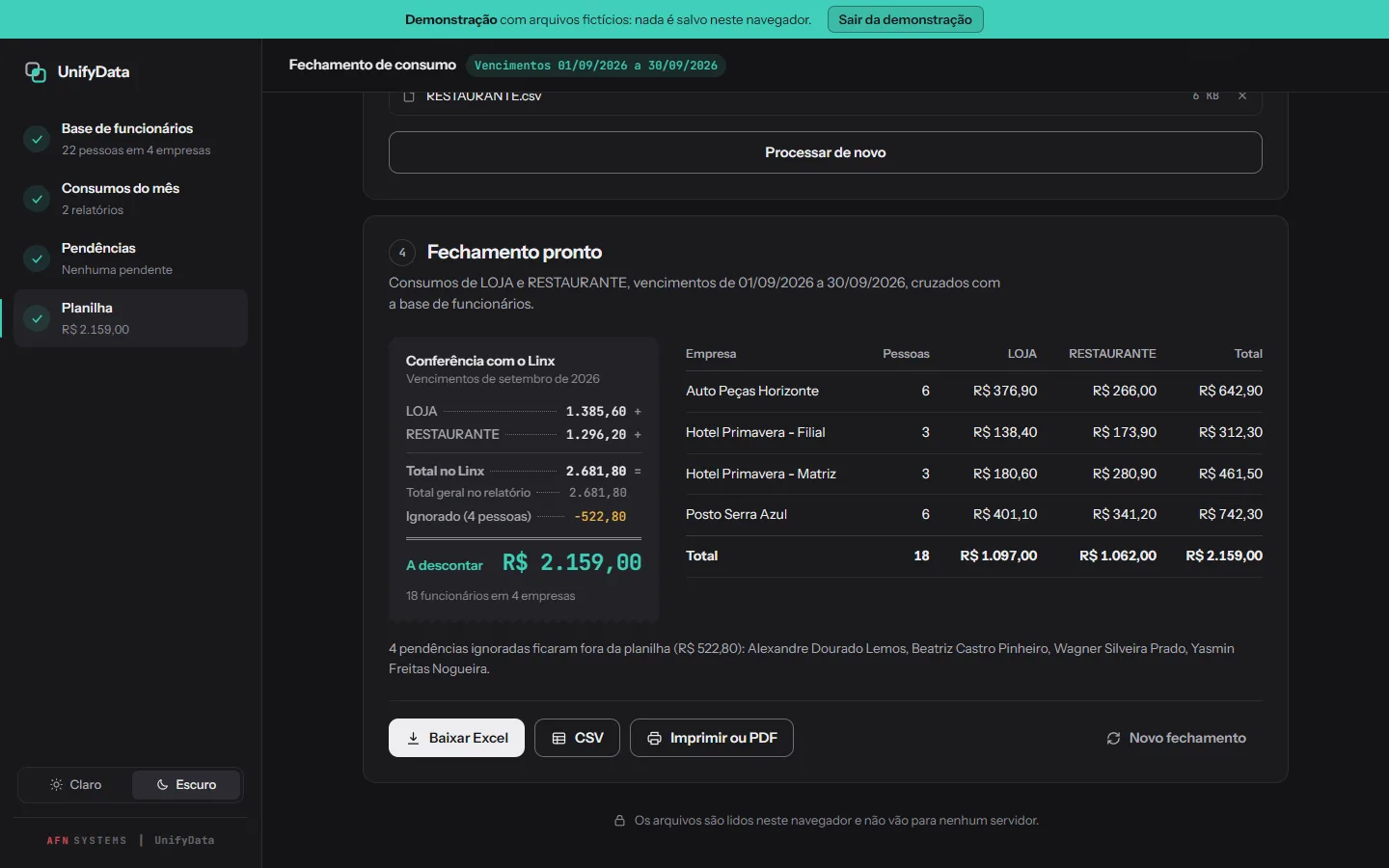
Payroll deduction spreadsheet
One tab per company, plus CSV and an A4 report.
-
Web and Python
The web version matches by employee ID and also works on phones; the Python version (Streamlit) matches by name, with human review.
How it was built
Architecture
Both repositories handle the same close with the same split: the rules that decide a number live in a core of pure functions (js/nucleo.js and nucleo.py), and the screen only calls those functions. The Web version runs entirely in the browser, with no build or server, and keeps the employee base in localStorage. The Python version runs on a local Streamlit and rereads the HR spreadsheets at every close, storing nothing.
View in code: nucleo.js L1–11 app.js L86–110 unifydata.py L1–17 README.md L171–176 README.md L199–201
- AutoSystem reports
- HR spreadsheets
- Matching in the core
- Reviewing open items
- Spreadsheet per company
Technical decisions
Libraries only when needed, with SRI
In the Web version, opening the page downloads nothing heavy: SheetJS, ExcelJS, and PDF.js have pinned versions and load only when the first file of that type is read, with an integrity hash (SRI). The Content Security Policy doesn't accept
'unsafe-inline', and PDF.js runs withevaldisabled. Files are read by the browser itself and never leave the computer.View in code: app.js L11–52 index.html L6 app.js L377
Automatic matching only without ambiguity
In the Python version, a match is made automatically only when the AutoSystem name becomes identical to an HR name after removing accents, capitals, and spaces, and HR has a single spelling of it. Everything else becomes a card: with a
token_sort_ratioof 85 or more, the card suggests the similar name; below that, the person shows as not found, and the card asks for the CPF (Brazilian taxpayer ID) and the company.View in code: nucleo.py L23 nucleo.py L283–316 README.md L177–180
Classic scripts, to open with a double-click
In the Web version,
nucleo.jsis a classic script, not an ES module: it registers itself onwindow.Nucleoin the browser and onmodule.exportsin Node. Soindex.htmlworks opened straight from disk, with a double-click, and the tests import the same functions withrequire(), with no bundler or build step.View in code: nucleo.js L1–11 index.html L234–235 README.md L190–191 nucleo.test.js L6
Challenge
Namesakes without a double deduction
In the Python version, matching by name attaches a purchase to every HR row with that name; with two namesakes, the same amount would be deducted from both people. So a repeated name becomes a review card, and the choice stores the HR row on each purchase (fixar_linha). consolidar adds that purchase directly to the chosen row and uses the name only for the rest. A purchase already linked by CPF doesn't go back to the card.
View in code: nucleo.py L246–280 nucleo.py L319–348 test_nucleo.py L148–176 README.md L181–185
Testing
The Web version has 17 tests with node --test that run the nucleo.js rules; reading the PDF and the HR spreadsheets depends on PDF.js and SheetJS and is checked in the demo. The Python version has 23: 21 with unittest on nucleo.py and 2 with Streamlit's AppTest, which walk through the screen in sample mode. GitHub Actions runs everything on every push, on Node 22 and 24 and Python 3.10, 3.12, and 3.14.
View in code: nucleo.test.js UnifyData-Web/testes.yml test_nucleo.py test_tela.py UnifyData-Python/testes.yml
Stack and links
Stack
JavaScript, SheetJS, PDF.js, ExcelJS, Python, Streamlit, pandas, thefuzz, openpyxl, GitHub Actions